Microsoft 365 managed services that keep your team productive and secure
We administer, secure and support your Microsoft 365 environment, from email and Teams to identity, devices and backup, so your people can simply get on with their work.
- Email, Teams, SharePoint and OneDrive fully managed
- Security baselines and MFA on every tenant
- Smooth migrations with minimal downtime
Email and calendar
Exchange Online administered, filtered and protected.
Teams and collaboration
Chat, meetings and channels set up and governed.
Files and sharing
SharePoint and OneDrive organized with the right access.
Microsoft runs the platform. We make it work for your business.
Microsoft keeps Microsoft 365 available, but how it is configured, secured and used is up to you. That is where most problems begin: weak security settings, wasted licenses, messy permissions and data that is not backed up.
Our managed service takes on that responsibility. We administer your tenant day to day, harden its security, support your users and keep your data protected, so you get the full value of what you already pay for.
- One accountable partner for your whole Microsoft 365 environment
- Plain-English support for your team
- Regular reviews to keep settings, licenses and security on track
Infrastructure and service uptime
Data centers, platform availability and core application updates.
Identity, security and configuration
MFA, access policies, device rules, permissions and threat protection.
Data protection and support
Backup, retention, compliance settings and a helpdesk for your users.
Everyday work
Email, meetings and collaboration, running smoothly without the IT headaches.
Everything your Microsoft 365 environment needs
Eight managed areas cover administration, security, support and cost control.
Tenant and user administration
Users, groups, licenses and permissions handled quickly, including joiners, movers and leavers.
Email and Exchange Online
Mailboxes, shared mailboxes, mail flow and spam protection configured and maintained for you.
Teams, SharePoint and OneDrive
Clean structure, sensible permissions and governance so collaboration stays organized and secure.
Identity and access security
Multi-factor authentication and conditional access policies that keep accounts safe without slowing people down.
Device management
Laptops and mobiles enrolled, configured and kept compliant, with remote wipe if a device is lost.
Data protection and backup
Independent backup of email, files and Teams data, so deleted or lost information can be restored.
Compliance and governance
Retention, data loss prevention and sensitivity settings that match your obligations.
Licensing and cost optimization
Regular license reviews to remove waste and make sure each person has the right plan.
Your workspace, managed
A look at the areas of Microsoft 365 we keep organized, secure and running smoothly.

Admin made simple
Users, licenses and settings managed from one place.

Security at a glance
Policies and alerts reviewed so threats are spotted early.
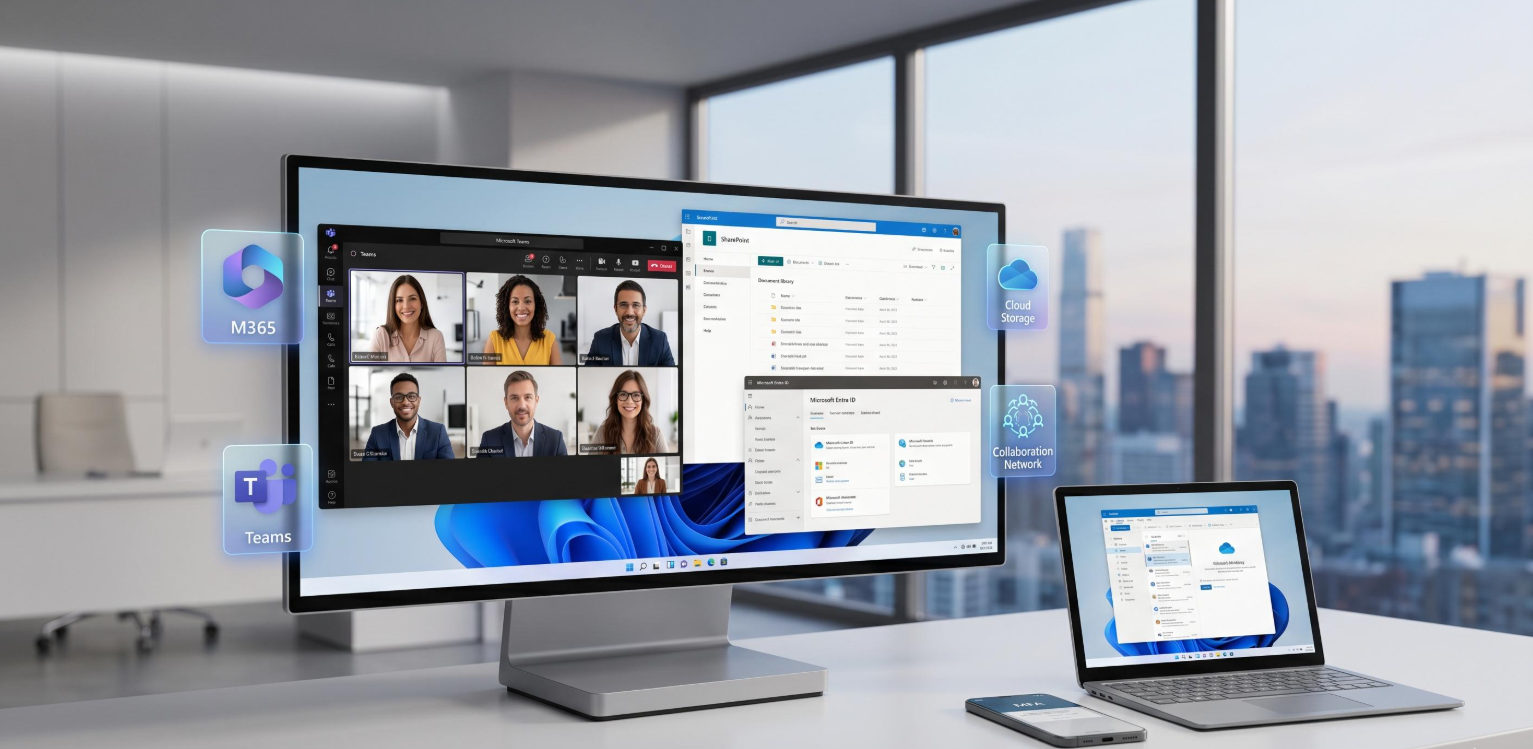
Collaboration that works
Teams and files organized so everyone finds what they need.
Problems we solve for Microsoft 365 customers
Most organizations pay for more than they use and secure less than they think. Here is how we fix that.
Licenses wasted on unused accounts
Departed staff and over-specified plans quietly inflate the monthly bill.
License audits and right-sizing
We review every account, remove waste and match each person to the plan they actually need.
Inconsistent security settings
MFA is missing for some users and policies differ from account to account.
Security baselines and MFA
We apply a consistent set of protections to every user and review them regularly.
Slow onboarding and offboarding
New starters wait for access and leavers keep it for too long.
A managed user lifecycle
Accounts, licenses and access are created and removed promptly through a clear process.
Messy Teams and SharePoint sprawl
Files are scattered and nobody is sure who can see what.
Governance and clean-up
We organize structure, tidy permissions and set rules so collaboration stays orderly.
How we migrate you to Microsoft 365
A planned, staged move keeps email flowing and your team working from the first day to the last.
Assess
We review your current email, files, users and devices, and the data to be moved.
Plan
We design the tenant, domains and licensing, and agree a cutover schedule.
Prepare
Identity, MFA and security baselines are set up and a pilot group is tested.
Migrate
Mailboxes and files move in stages, with minimal disruption to your day.
Support
We provide post-migration help, user guidance and tuning of your new setup.
How we manage your tenant month to month
Good management is a routine, not a one-off project. This is the cadence we follow so your environment stays secure, tidy and cost-efficient.

Every day
Helpdesk requests answered, user changes completed and security alerts reviewed.
Every week
Account and permission clean-up, license changes and a check of sign-in and security activity.
Every month
Usage, security and license reports, with recommendations for improvements.
Every quarter
A strategy review of your tenant, roadmap and costs with a technical account manager.
Simple plans, custom quotes
Choose a starting point and we will tailor it to your team, tenant and goals.
Essential
Administration and helpdesk
- User and license management
- Email and mailbox administration
- Helpdesk for Microsoft 365 issues
- MFA setup for all users
- Monthly usage and license report
Business
Security, devices and backup
- Everything in Essential
- Conditional access and security baselines
- Intune device management
- Teams and SharePoint governance
- Backup of email, files and Teams data
- Priority support
Complete
Fully managed and compliant
- Everything in Business
- Advanced threat protection setup
- Data loss prevention and retention policies
- Secure Score improvement plan
- Quarterly strategy review
- Extended support hours
Prices shown are starting rates per user per month for management services. Microsoft licenses are billed separately unless purchased through us. Final pricing depends on team size and requirements.
A Microsoft 365 partner that stays involved
We do not set things up and disappear. We stay close to your tenant and your team.
Email, security, devices and backup managed by a single accountable team
Protection applied to every tenant from day one
Planned moves with minimal disruption
Usage, security and cost reports you can understand and act on
Microsoft 365 managed services, answered
Thinking about migrating or handing over your Microsoft 365 management? These are the questions we hear most.
What are Microsoft 365 managed services?
Microsoft 365 managed services mean we administer, secure and support your Microsoft 365 environment for you. That includes users and licenses, email, Teams, SharePoint and OneDrive, security settings, device management and backup, plus a helpdesk for your team.
Do I have to buy my Microsoft 365 licenses from you?
No. You can keep your existing licenses and we will manage the environment, or we can supply licenses as part of your monthly service. Microsoft licensing is billed separately from our management fee unless you buy through us.
Does Microsoft back up my Microsoft 365 data?
Microsoft keeps the service available, but you are responsible for your data. Built-in recycle bins and retention have limits, so we recommend an independent backup of email, files and Teams data, which our Business and Complete plans include.
Can you migrate us from Google Workspace or on-premises Exchange?
Yes. We plan and run migrations of mailboxes, calendars, contacts and files, in stages where needed, to keep disruption to a minimum.
Will migration interrupt our email?
We plan cutovers carefully, usually outside working hours, and keep mail flowing throughout so your team can keep working.
How secure is Microsoft 365 out of the box?
Microsoft provides a strong platform, but many important protections, such as multi-factor authentication, conditional access and data policies, must be configured. We apply security baselines and review them regularly.
How much do Microsoft 365 managed services cost?
Pricing is usually per user per month and depends on the plan and the size of your team. Larger or more complex environments receive a custom quote after a short review.
Get more from Microsoft 365, with less hassle
Request a custom quote and a free review of your current Microsoft 365 setup.